# $CLONE Claim Guide

{% embed url="<https://clone.confidentiallayer.com/>" %}

## 1. Step

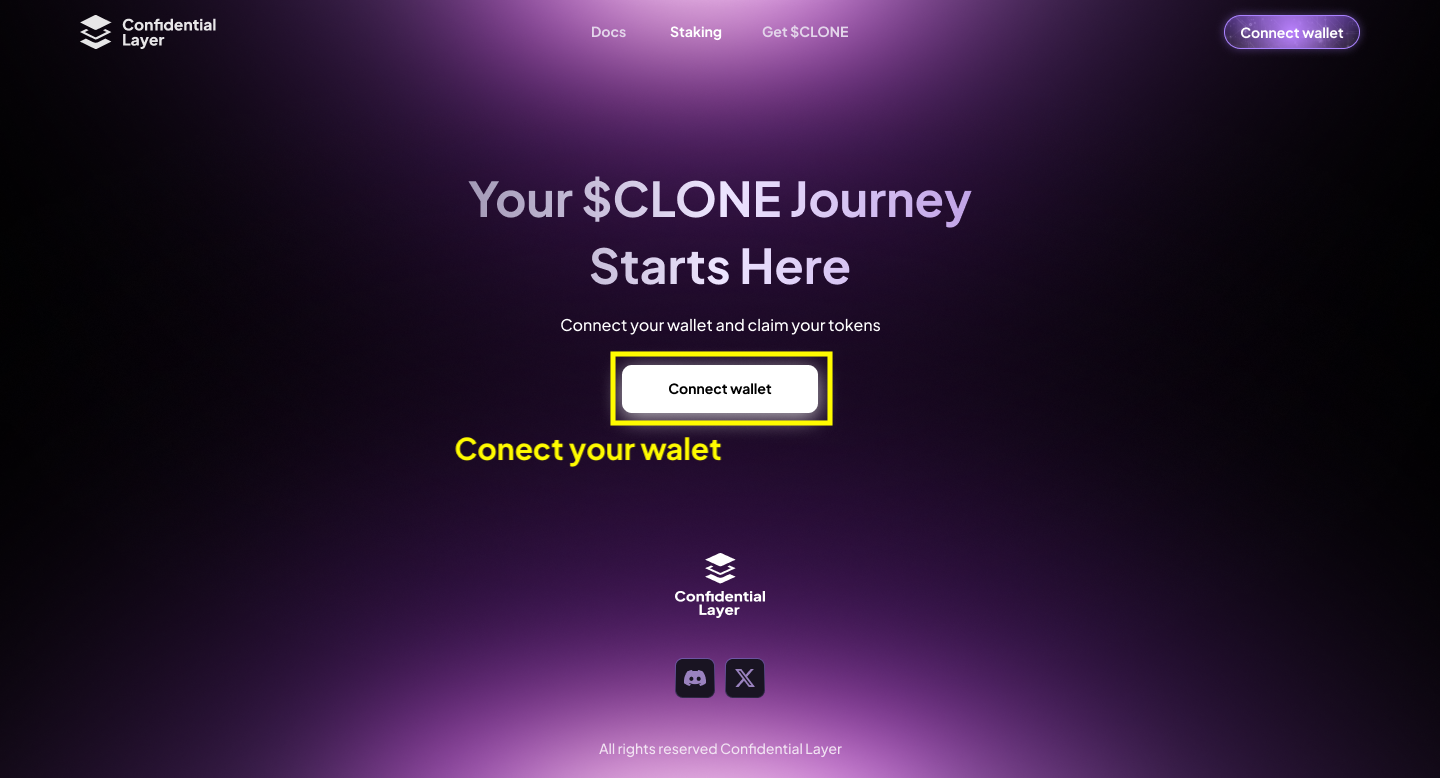
Connect your EVM wallet with your presale or airdrop allocation.
<figure><img src="https://2815539471-files.gitbook.io/~/files/v0/b/gitbook-x-prod.appspot.com/o/spaces%2FOXh9YkYsL5crs8Vl1tft%2Fuploads%2FdCB1Qe28mGpOOnphsRiF%2FClaim%20Step%201.png?alt=media&#x26;token=c0aa3694-d966-4b1a-aeeb-03b6780e1370" alt=""><figcaption></figcaption></figure>

## 2. Step

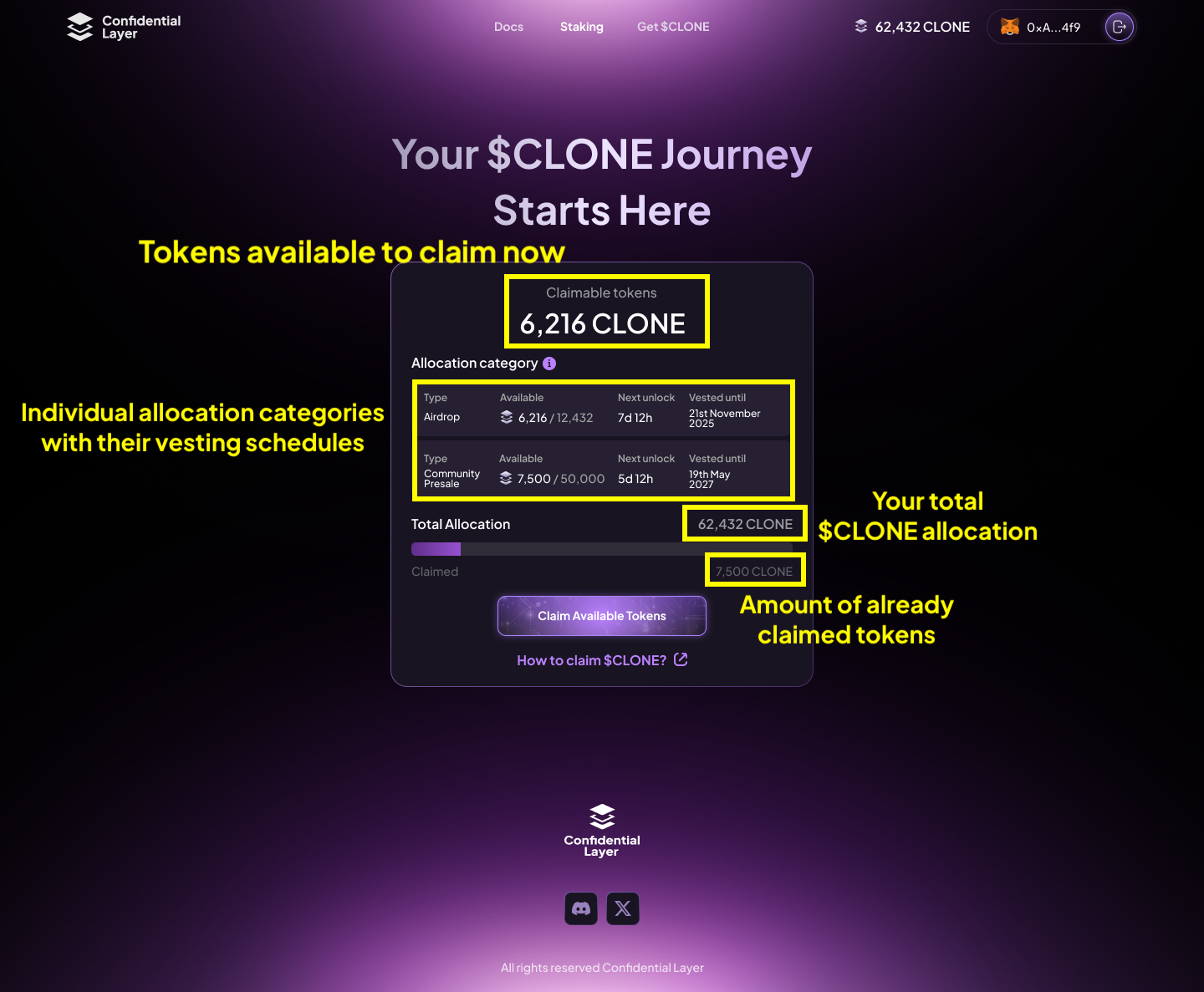
After connecting your wallet, you will be able to see your total $CLONE allocation, specific allocation categories with their vesting schedules, and the amount of claimable tokens.
<figure><img src="https://2815539471-files.gitbook.io/~/files/v0/b/gitbook-x-prod.appspot.com/o/spaces%2FOXh9YkYsL5crs8Vl1tft%2Fuploads%2FzN03qDKNSJAJOAMneYmf%2FClaim%20Step%202.png?alt=media&#x26;token=17537f41-b725-48d1-925d-50d319465840" alt=""><figcaption></figcaption></figure>

## 3. Step

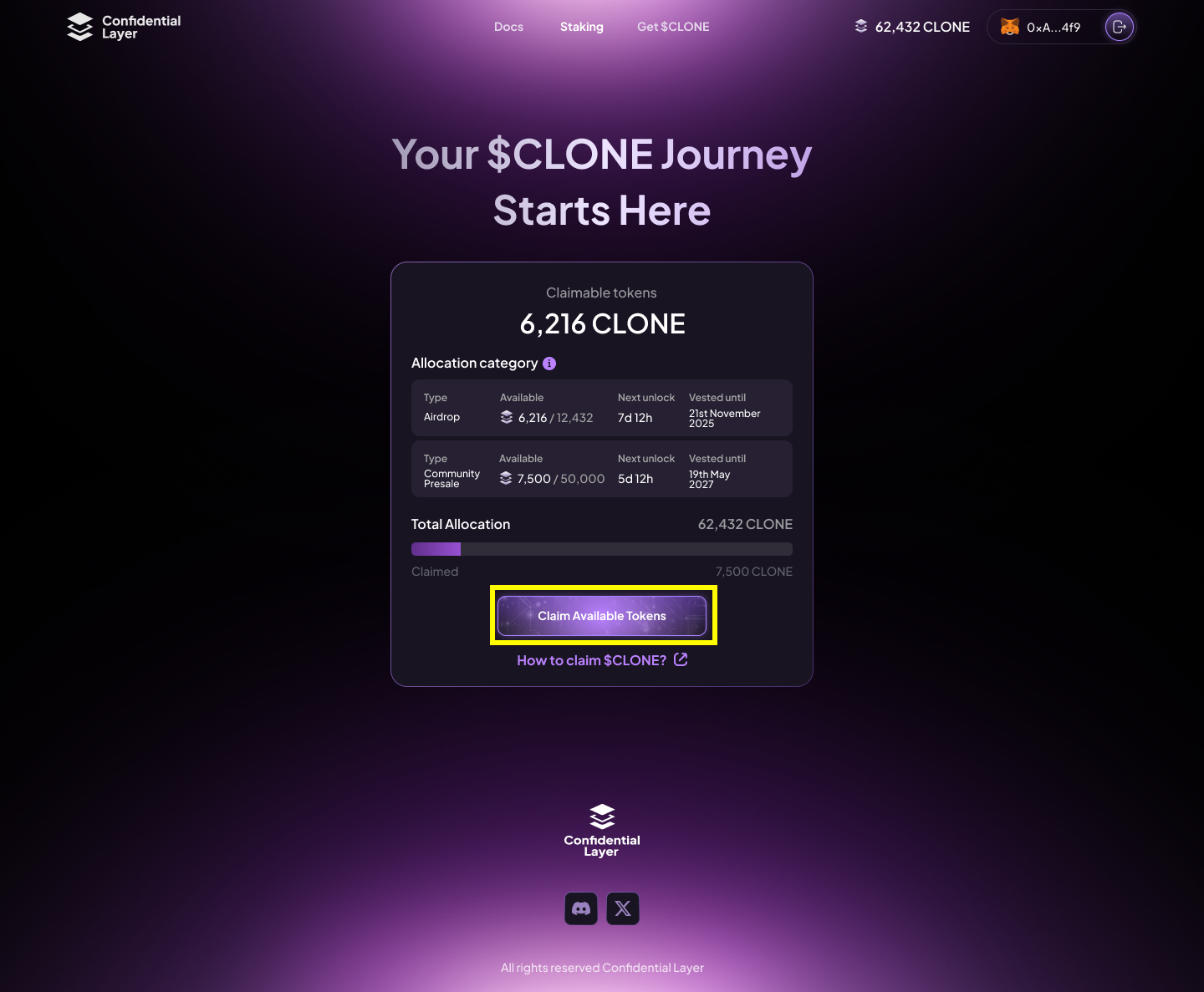
Click on "**Claim available tokens**" to claim all your unlocked $CLONE

{% hint style="success" %}
You are claiming $CLONE on the Bridgeless L1 blockchain. Don’t forget to add it to your EVM wallet.\
\
**Network name:** Bridgeless\
**Default RPC URL:** <https://eth-rpc.node0.mainnet.bridgeless.com/>\
**Chain ID:** 13441\
**Currency symbol:** BRIDGE\
**Block explorer URL:** <https://explorer.mainnet.bridgeless.com/>
{% endhint %}

<figure><img src="https://2815539471-files.gitbook.io/~/files/v0/b/gitbook-x-prod.appspot.com/o/spaces%2FOXh9YkYsL5crs8Vl1tft%2Fuploads%2FPGXYqSJ92l1gSkfXYDCr%2FClaim%20Step%203.png?alt=media&#x26;token=5616db46-b7bf-47b2-8da8-7195272dbfe4" alt=""><figcaption></figcaption></figure>

## 4. Step

After a successful claim, add the $CLONE contract address to your wallet to view your allocation.

**$CLONE Contract Address:** 0xe3fa12bBEA3d9d94Dc1C0C8CEa8a1246AF1cE463